Welcome
Find your way around the workspace, learn each module, and complete everyday tasks.
What this Help Center covers
These guides are written for people using the product day to day—sales, marketing, operations, support, and admins—not for developers.
Use the sidebar to browse by category (Basics, CRM, Marketing & website, and so on), or search if you know what you need.
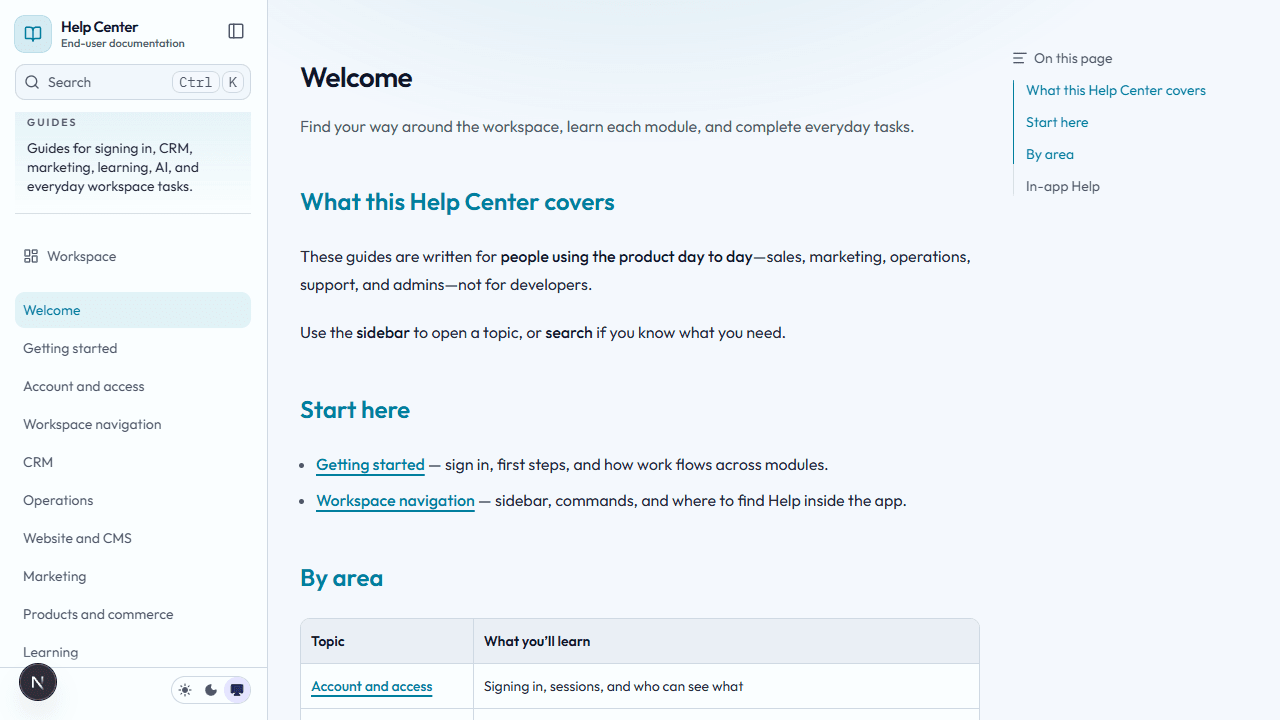
Your theme and labels may differ slightly from this example.
Browse by category
Basics
Getting oriented, signing in, moving around the app, and fixing common issues.
- Getting started — sign in, first steps, and how work flows across modules
- Working with the platform — understand records, handoffs, and the customer lifecycle across modules
- Role-based guides — choose the right daily workflow by team or job
- End-to-end tutorials — complete cross-module scenarios from lead capture to support and automation
- Platform flows — end-to-end visual maps across marketing, CRM, support, AI, automations, and delivery
- Lead-to-revenue lifecycle — see the full path from visitor touch to qualified pipeline, forecast, and delivery
- Customer lifecycle — understand onboarding, support, health, renewal, and expansion in one flow
- AI and automation flow — learn how Copilot, approvals, rules, runs, and integrations connect
- Learning delivery flow — connect sold offers, cohorts, learners, progress, and certificates
- Account and access — sessions and which areas you see
- Workspace navigation — sidebar, search, in-app Help
- Troubleshooting — sign-in problems, missing modules, errors
CRM
Customer records, pipeline, and day-to-day sales and support work.
- CRM — leads, accounts, contacts, deals, pipelines, activities, support, tasks, employees
- Lead qualification and conversion — qualify, enrich, route, dedupe, and convert leads
- Daily pipeline review — inspect deals, saved views, forecast, and reports
- Sequences and follow-up — run repeatable follow-up and log communication cleanly
- Customer support and renewals — work tickets, onboarding, health, renewal, and expansion in one place
Marketing & website
Acquisition and public content.
- Marketing — campaigns, funnels, landing pages
- Website and CMS — static pages and blog
- Launch a campaign — connect campaigns, funnels, and reporting from the start
- Publish a landing page — create a conversion page with a CRM-linked form
- Attribution and nurture — understand touches, influenced pipeline, and sequence enrollment
- Manage website content — publish static pages and blog posts without losing form capture context
Products & commerce
What you sell and money movement.
- Products and commerce — courses, events, payments
- Manage offers, events, and payments — keep catalog, event, and payment records aligned
Learning
Training delivery and credentials.
- Learning — overview, learners, courses, course creation studio (mock), lessons, quizzes, analytics, certifications
- Deliver training and certification — run cohorts, lessons, quizzes, learner progress, and certificates
Operations
Internal effort tracking.
- Operations — time tracking
- Time tracking and delivery ops — log hours, review effort, and keep delivery data clean
AI
Copilot and automation.
- AI assistant — chatbot, automation runs, rules, integrations
- Use Copilot and approvals — ask for help safely and review action suggestions
- Operate automation runs and rules — monitor workers, ledgers, rules, and integrations
Administration
For platform administrators only.
- Admin settings — workspaces, access, subscription plans
- Workspace and access setup — provision tenants, plans, modules, and operator access
Learn by task
If you already know the job you need to do, start here:
- Need to get a lead into pipeline: Lead qualification and conversion
- Need to inspect the current sales book: Daily pipeline review
- Need to launch acquisition surfaces: Launch a campaign and Publish a landing page
- Need to understand which marketing work influenced revenue: Attribution and nurture
- Need to work a customer account after the sale: Customer support and renewals
- Need to use AI safely: Use Copilot and approvals
- Need to run automation operations: Operate automation runs and rules
- Need to deliver learning: Deliver training and certification
Learn by flow
If the hardest part is understanding how modules interconnect, open one of the lifecycle guides:
In-app Help
While signed in, open Help from the workspace for module-specific guides that match the areas your organization turned on.