Products and commerce
Maintain course and event offerings, publish them to the public storefront, and manage orders plus payments.
Products describe what you sell (training courses and ticketed events). The public storefront turns those products into tenant-hosted offers at /courses and /events, while Commerce now tracks orders and payments from checkout through fulfillment.
Products — courses
Path: Products → Courses (/products/courses)
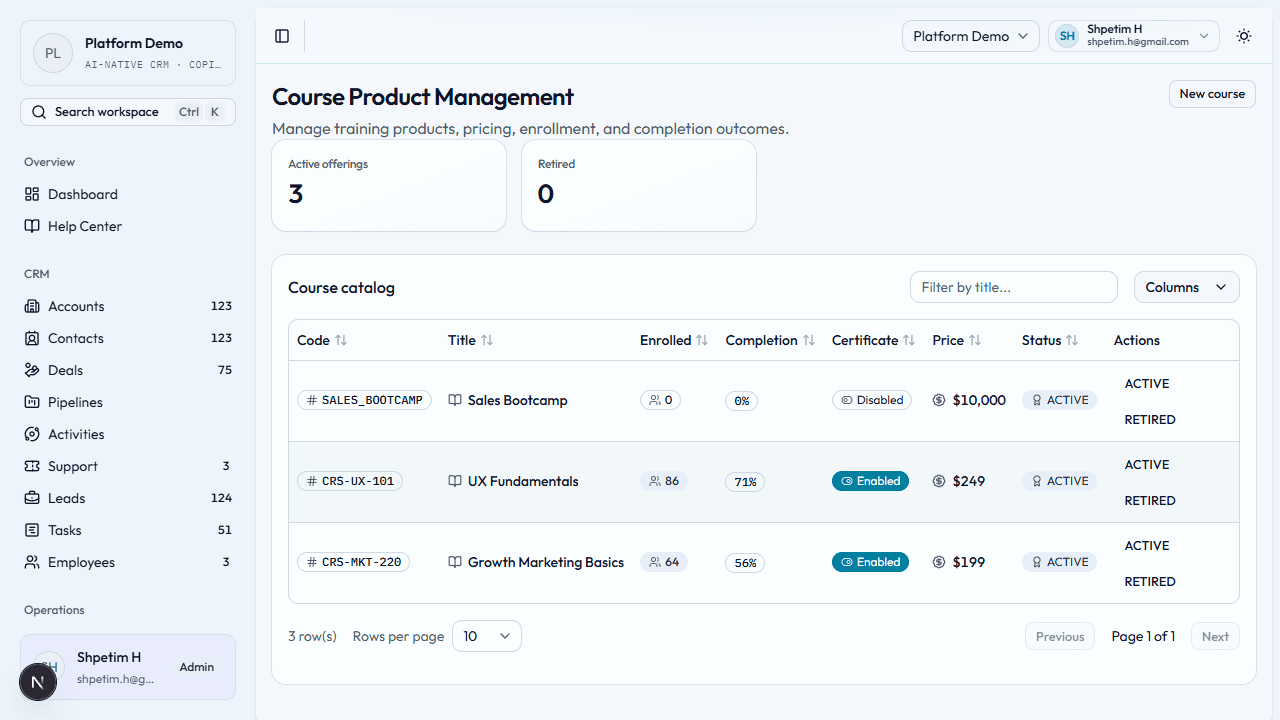
- Open Course product management and check active vs retired counts.
- Create a course product — course code, title, category, price, delivery mode (such as self-paced, cohort, hybrid, or workshop).
- Use the table as your operating catalog: View opens a detail page; Edit updates catalog copy and pricing; ACTIVE / RETIRED adjust sellability.
- Fill in the public fields on create or edit: slug, public description, badge, CTA label, featured, and SEO copy. Those values drive the public storefront detail pages and CMS merchandising sections.
- Coordinate with Learning when you deliver training—products describe the offer; cohorts live under Learning.
Products — events and tickets
Path: Products → Events (/products/events)
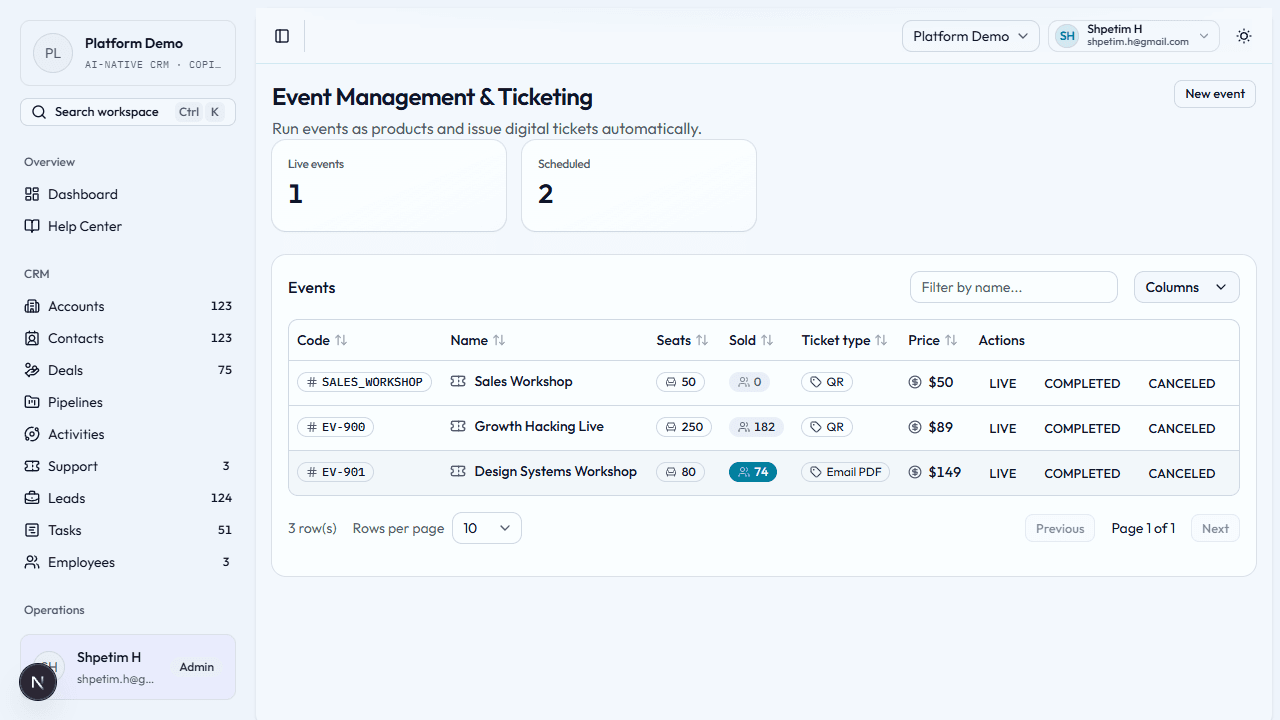
- Open Event management; note live and scheduled counts.
- Create an event — event code, name, venue, start and end times, seat count, ticket type, price.
- Review the schedule and inventory in the table; View opens a detail page; Edit updates venue, times, seats, and price.
- Use the same public storefront fields so visitors see a polished event page at
/events/[slug]. - Pair with commerce and operations as money and delivery move forward.
Public storefront
Paths: /courses, /courses/[slug], /events, /events/[slug], /checkout/[id], /orders/[id]
These routes are tenant-hosted. In production they run on the workspace website hostname, such as tenant.platform.reuzio.com or a verified custom domain, not only on the platform root host.
- Publish active courses and scheduled or live events with storefront-ready slugs and copy.
- Visitors browse those offers on the tenant public website, open the detail page, and choose the checkout CTA.
- Checkout creates a durable checkout session, then an order, then a linked payment.
- Paid course orders fulfill into Learners and Enrollments. Event orders fulfill into Event registrations and reserve inventory.
- CMS pages can also feature selected offers through Commerce sections JSON, so editorial pages and product discovery stay in one system.
Commerce — orders
Path: Commerce → Orders (/commerce/orders)
- Open Orders to review confirmation codes, buyer identity, totals, and fulfillment state from the public storefront.
- Use the detail page to confirm which items were sold, whether payment is recorded, and whether event registrations were issued.
- Pair order review with Payments when a buyer needs support or finance needs a status check.
Commerce — payments
Path: Commerce → Payments (/commerce/payments)
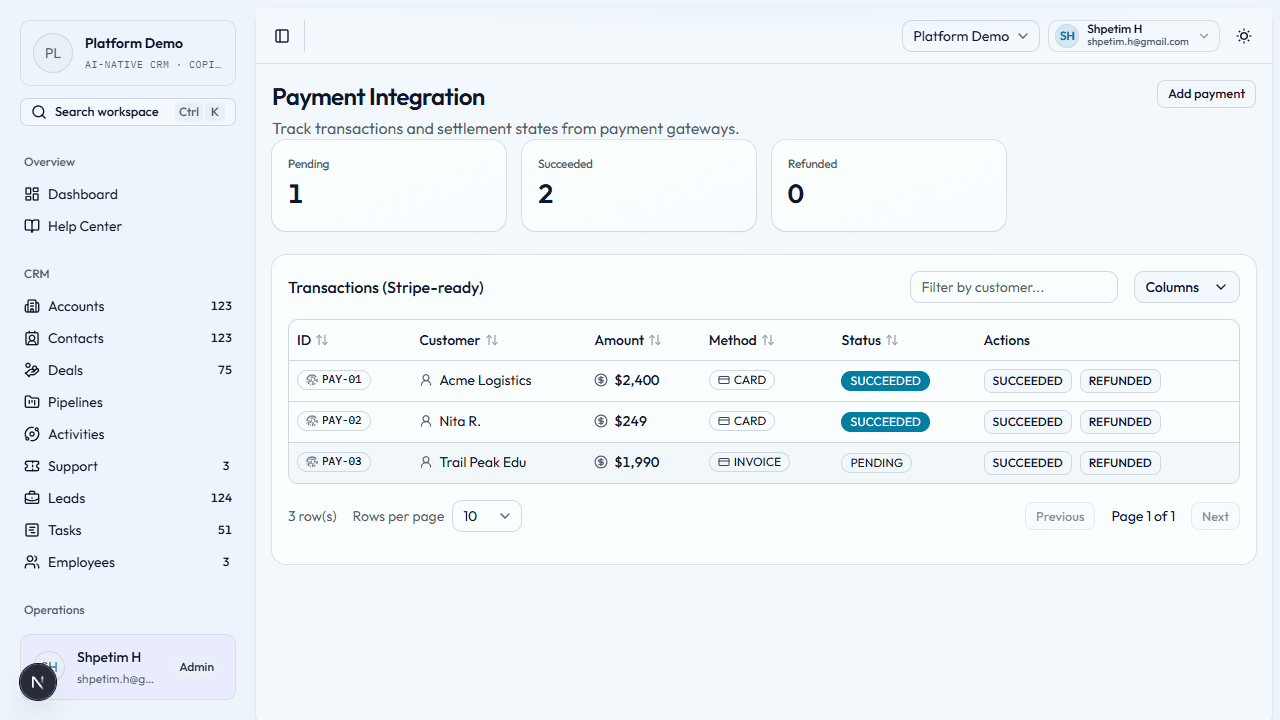
- Open Payment integration and review pending, succeeded, and refunded counts.
- Add payment — transaction ID from your gateway, customer, amount, method (card, invoice, bank transfer, wallet, etc.).
- View opens a payment detail page for the full record and quick status updates.
- Storefront checkout also creates payment records automatically, so the payments area now mixes manual backoffice entries with public checkout results.
- Monitor refunds and pending items regularly to catch revenue issues early.
Before you start
- Use stable codes for courses and events—they are reused in operations.
- Align customer naming with CRM and finance so records match.