Learning
Run cohorts, deliver lessons and quizzes, track progress, and manage certificates.
Learning covers delivery after you have something to teach: cohorts, learners, lessons, quizzes, progress, and certificates. Course catalog pricing often starts under Products and commerce.
Before you start
- If your team separates what is sold from what is delivered, define course products first.
- Decide certificate rules and any prerequisite cohort before learners enroll.
Learning overview
Path: Learning → Learning overview (/lms)
- Open Learning overview for workspace-wide KPIs: active courses, learners, average completion, quiz activity, and certificates issued.
- Review completion by course and at-risk learners (under 40% progress).
- Jump to Course admin or Learners from the header actions when you need to change setup.
Learners
Path: Learning → Learners (/lms/learners)
- Add learner to create a person in your LMS roster (name, email, optional company).
- Use Enroll in a cohort to place a learner on a course seat. If the cohort has a prerequisite, the learner must have completed that prerequisite first.
- Edit a learner’s status (for example at risk or inactive) from the table.
Content studio (authoring)
Path: Learning → Content studio (/lms/studio)
- Pick a cohort to open the curriculum builder.
- Add modules, then lessons (type, body text, publish flag, drip days, “require previous lesson”).
- Add quizzes (course-level or attached to a lesson) and questions (multiple choice lines; set the correct index).
- Use Preview on a lesson to open the learner lesson player.
- Create new cohorts under Course admin first if you need an empty shell.
Course creation studio (mock authoring)
Path: Learning → Course creation studio (/lms/course-studio)
Use this workspace to explore a full course authoring shell. Your LMS cohorts (from Course admin) appear here automatically using their course code in the URL (for example CRS-UX-101-LMS). Extra sample courses may still show for demos. For database cohorts, key actions (lesson save including notes and attachments, builder reorder, module order, quiz bank, assignments, media assets per course, templates and presets from Library with apply from the curriculum planner, course settings including certificate template label, SEO, waitlist, and enrollment cap) call the same /api/lms/* routes as Content studio. Some marketing-style tabs can stay preview-only until you wire them.
- Open Course Studio dashboard for shortcuts and catalog health.
- Go to Courses to search, filter, and open a course.
- Inside a course, use Overview, Builder (curriculum tree with reorder), Curriculum planner, Lessons, Assessments, Assignments, Media, Settings, and Publish to walk through the end-to-end flow.
- For live curriculum tied to enrollments, keep using Content studio and Course admin as described above.
Course administration
Path: Learning → Course admin (/lms/courses)
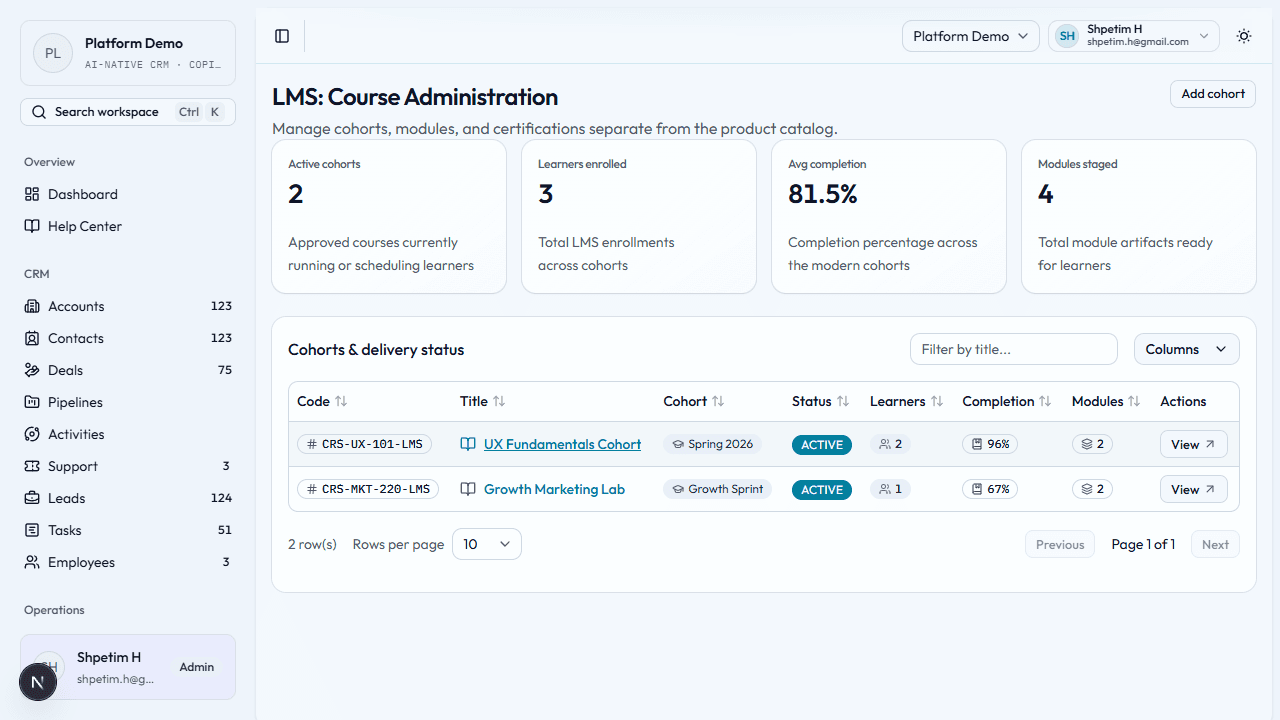
- Review active cohorts, learner counts, completion, and modules.
- Add cohort — course code, title, cohort label, description, certificate setting, target completion window.
- Open cohort detail for modules, enrollments, certificates, optional prerequisite course code, and Open lesson links (pick an enrollment to track progress).
- Use Edit cohort to set Prerequisite course code (another cohort learners must finish before enrolling) or clear it by leaving the field empty.
Lessons and quizzes
Path: From cohort detail, use Open lesson on a lesson row, or go to
/lms/courses/<course-code>/lesson/<lesson-id>?enrollment=<enrollment-id>.
- If you open a lesson without an enrollment in the URL, choose a learner seat (enrollment) for that cohort.
- Read lesson content and use Mark lesson complete when the learner has finished. Progress rolls up from published lessons.
- If a knowledge check is attached, start the quiz, answer all questions, and submit. Scores are stored for that enrollment.
- Drip and lock until previous lesson rules may block access until conditions are met.
Analytics
Path: Learning → Analytics (/lms/analytics)
- See summary metrics and a by-course table with completed vs active enrollments.
- Review learners under 40% progress for outreach.
Progress tracking
Path: Learning → Progress (/lms/progress)
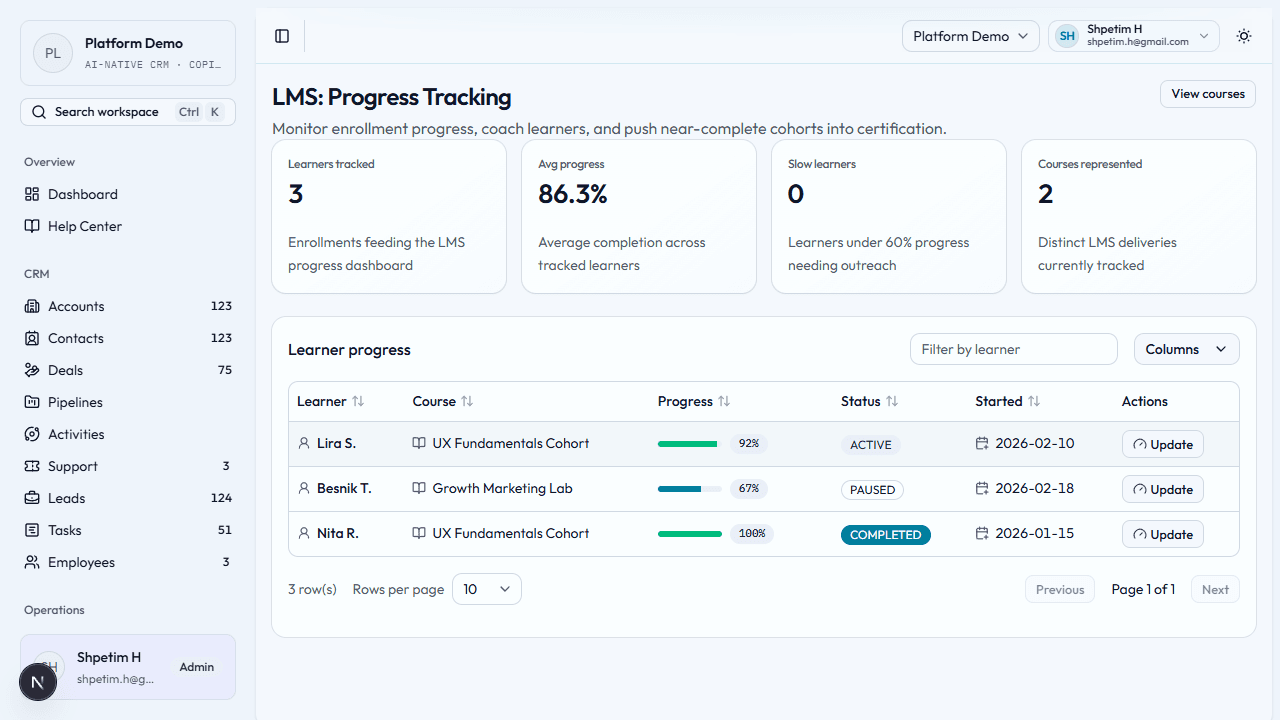
- Review learners, average progress, and slow movers.
- Use the progress table to adjust percentage or status when coaching.
- Link to Course admin when you need cohort or lesson changes.
Certification
Path: Learning → Certifications (/lms/certifications)
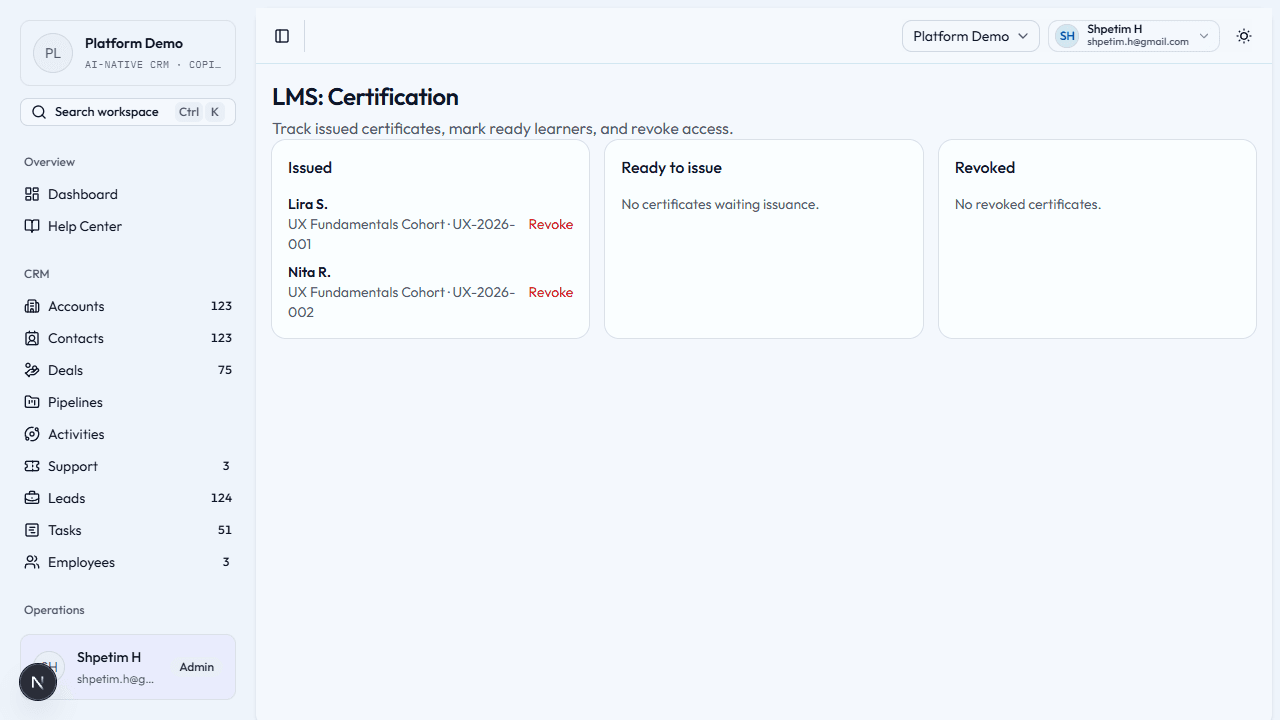
- Open Certification; cards or columns often group issued, ready to issue, and revoked.
- Issue when a learner met requirements.
- Revoke when a certificate should no longer be valid.
- Reinstate (when available) if someone should become eligible again.
Related
- Products and commerce
- CRM — customer context
- Deliver training and certification